Solving the Blank Screen Problem on Alexa: The Multimodal Response Builder
TL;DR
88% of Alexa skills showed a blank screen despite most devices having screens. I diagnosed this as a systemic developer experience failure on Alexa developer console and designed the fix - a low-code wizard that turned a 5-day build into 15 minutes, for 100K+ developers.
Role: Design lead, end-to-end Team: Engineering, Product, QA, Developer Relations
Outcome: 15% ecosystem growth ; 33% of all new visual responses built through this tool 3 months post-launch
The problem
While over 60% of Alexa devices in households featured screens, 88% of third-party skills remained audio-only, resulting in a “blank screen” experience for millions of users. My research identified a 70% abandonment rate among developers who tried to add visuals blocked by the complexity of Alexa Presentation Language (APL). This wasn't a developer motivation problem. It was a systemic failure of developer experience - and it needed a systemic fix.
The solution
Role and scope
Design lead - multimodal tooling on Alexa Developer Console (ADC)
I spearheaded exploratory research with 3P developers to diagnose a critical market failure: why 70% of builders were abandoning the multimodal journey despite high screened device market penetration. And translated these qualitative findings into a strategic product.
Designed a scalable, low-code framework for the entire 3P Alexa developer ecosystem (100k+ developers), rather than a single feature or skill.
I ensured "Design Once, Deploy Anywhere" functionality by strategizing how templates would automatically adapt across a fragmented hardware landscape, including Echo Show (multiple sizes), Fire TV, and tablet-mode devices.
The design patterns like Stepper function, were built into the central design system and used in other places on the console.
Duration: ~6 months
Impact
The Multimodal Response Builder successfully moved the needle on Alexa’s screen-based ecosystem. In just the first 3 months,
“Onboarding was really easy, and it was astonishing to see how fast you could get beautifully rendered APL visuals after just a bit of playing around with the Multimodal Response Builder. Something I particularly appreciate is how “Integrate” allows you to use documents previously created via APL Ninja’s SMAPI integration directly into skills.”
“The multimodal response builder makes it incredibly easy to add visual responses to your Alexa skill. With a few clicks you can generate the APL needed to turn your voice-only skill into a multimodal experience. It’s a super helpful tool for everyone, and for those just starting out developing multimodal skills, I think it’s really a game changer.”
From 5 days to 15 mins
Time to create a visual response for Alexa
15% ^
increase in percentage of skills with visual responses
33%
of all Alexa visual responses were created using this tool
Critical decisions and engineering partnerships
Bridging the “Integrate” gap
The challenge: Through extensive “deep dive” workshops with engineering and product, it came to light that providing the skill directive code for the newly created visual response was not enough. Developers were unsure where to insert the code within their lambdas and there were many technical requirements that needed to be fulfilled for this code to work effectively. Essentially, they would be forced to consult technical documentation for these steps, which would again result in a fragmented experience.
The decision: To resolve this, instead of providing isolated JSON skill directive code, we provided the complete Handler Code, giving developers the necessary structural context to implement the response immediately. For the build dependency, I architected a guided pre-requisite workflow that encouraged a “Build first” approach to ensure success, while providing the flexibility to copy code if skill was in a broken state. And designed contextual help to support the next steps.
The Impact: By providing the full logic and a flexible "Build" workflow, we moved the developer from a visual mockup to a functioning multimodal skill without them ever having to leave the console or open a documentation tab.
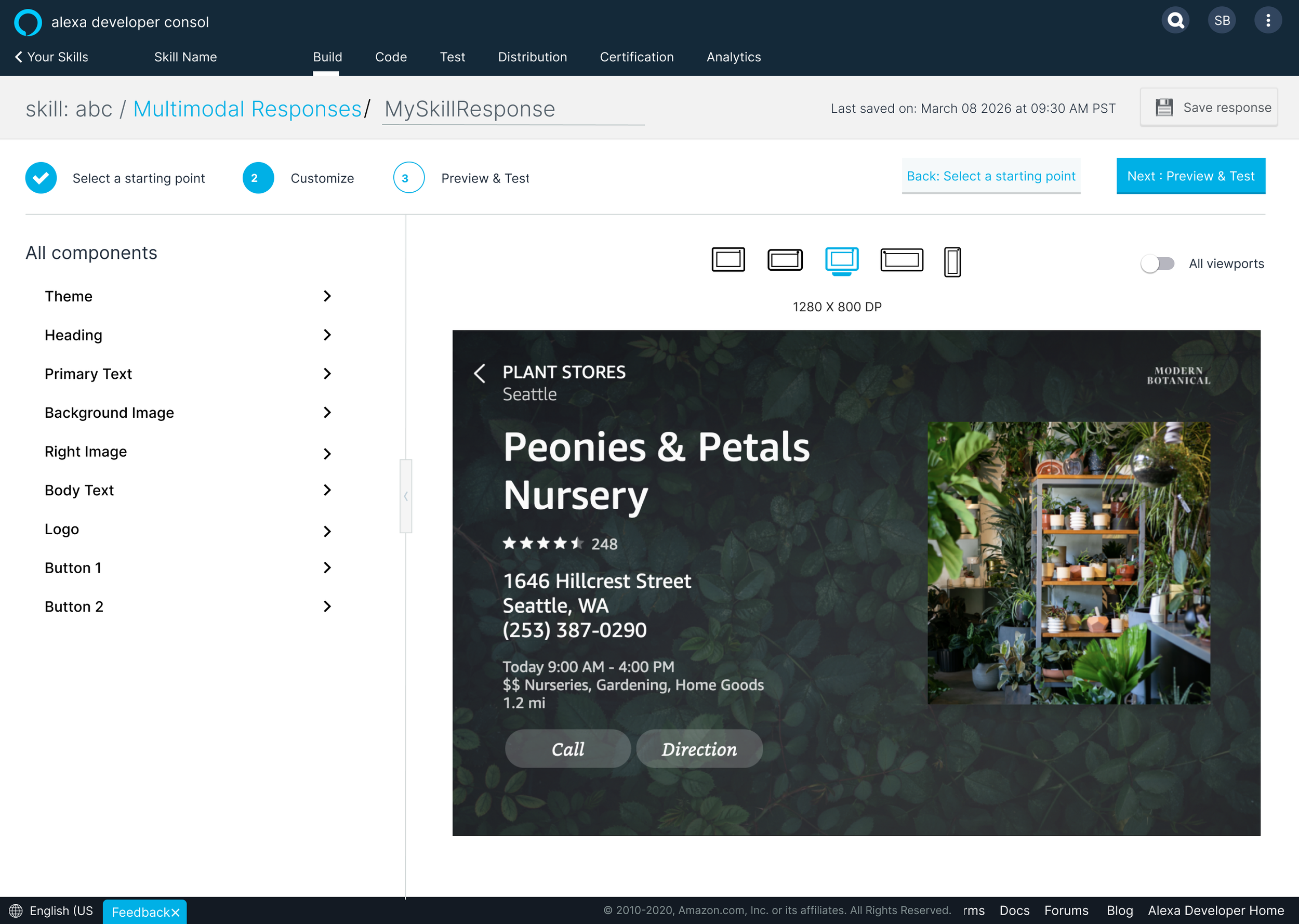
The "Handoff" Architecture: From Builder to Authoring Tool
The challenge: With testing, it was clear that the Response Builder could not be a dead-end. Developers would often start with a template but need to "break out" for custom tweaks.
The decision: Designed a "Promotion" workflow that allowed a developer to build a response in the Response Builder and then "Promote it to Authoring Tool." This converted the simple template into raw, editable APL code for any tweaks.
The trade-off: This was a "one-way door" decision- once promoted, the response could no longer be edited in the response builder. I designed the warning UI to ensure developers understood this technical ceiling while still empowering them with full creative control.
Solving for data-binding complexity
The challenge: The biggest technical debate centered on "Dynamic Content." Developers wanted their visual lists to be populated by real-time data from their APIs. Building a no-code UI for complex data-binding would have delayed launch significantly.
The decision: I designed the system to focus on high-fidelity static placeholders (mock data) that met the 80% use case for simple visual skills. And designed a V2 for a follow-up launch to enable this important feature.
The trade-off: While this wasn’t the ideal solution, but since the benefits of launching the tool sooner were very high, this allowed us to ship on time while ensuring the architecture was "future-proofed" without being over-engineered for launch.
Reflections
Key learnings
The Need for "Context, Not Just Snippets": The biggest learning was that developers don't just need code; they need context. Providing the full Handler Code instead of just visual directives was the key to breaking the "Wall of Integration." It taught me that UX for developers is as much about teaching the system architecture as it is about providing the UI.
Governance via Templatization: I learned that you can enforce quality at scale without being "restrictive." By embedding Amazon’s "Definition of Good" into the templates, we raised the visual quality floor of the entire Skill Store.
What I’d do differently
Advocating for unified tooling over two separate tools: If I were starting today, I would push harder for a Single, Adaptive Tool rather than launching the Response Builder as a standalone tool separate from the Authoring Tool.
Prioritizing dynamic data binding: While this was the right choice for the timeline, it left a utility gap for developers who needed real-time data integration immediately.
What didn’t go so well
The Problem: The MVP "Static" Compromise (Dynamic Data Binding)- Developers required "Dynamic Content" - the ability to populate visual lists with real-time data from their own APIs- to make the visuals truly functional.
What Happened: Designing a robust, no-code UI for complex data-binding was a massive technical undertaking that threatened to delay the launch
The Pivot: We pivoted to providing high-fidelity static placeholders (mock data) that satisfied the 80% use case for simple visual skills.
The Lesson: In a platform ecosystem, shipping a stable, high-quality 80% solution on time is often more strategic than delivering a 100% solution too late to influence market behavior.
The Problem: Navigating the “Build” dependency - A hard technical constraint in the Alexa Developer Console required a skill to be "built" before the generated integration code could be fully functional.
What Happened: This created a rigid, linear workflow, potentially causing abandonment in the future
The Pivot: Designed an experience that encouraged a "Build First" path to ensure success but introduced a "Skip" option for flexibility.
The Lesson: When designing for technical users, avoid "dead-ends" created by system rules. Respect the "messy" reality of the development cycle by prioritizing user autonomy over enforced "perfect" paths.
Process Deep-Dive
The strategic challenge & research gap
Identifying the “Why” behind abandonment
The research revealed three core blockers preventing developers from adopting screens
Steep Learning Curve: APL was perceived as too complex to learn for simple visual needs.
Fragmented Workflows: Developers had to switch between multiple tools and documentation to get a single visual live.
Lack of "North Star" Guidance: There was no clear definition of what a "good" multimodal experience looked like, leading to experimentation fatigue.
The two developer mindsets
I identified two distinct mental models that informed our system architecture:
"Build Experiences": Developers who think holistically about the customer journey.
"Build Skills": "Voice-first" developers who view multimodality as an optional add-on. This led to the definition of the “Audio-only Audrey” persona to represent the 87% of seasoned developers who were curious about screens but unconvinced that the effort outweighed the benefits.
Conceptual system architecture & user flow
The core of my strategy was to templatize complexity. I designed a 4-step "Wizard" architecture that moved the developer from abstract intent to production-ready code.
The 4-Step Response Framework
Select a Starting Point: Instead of a blank canvas, I designed a Categorized Template Library (e.g., Lists, Details, Grids) that served as the "gold standard" for responsive design.
Customize (No-Code): A visual editor allowing developers to modify text, images, and themes without touching the code.
Preview & Test: A dedicated environment to validate the response across different viewports (Echo Shows, tablets, mobile, Fire TV, etc.) before integration.
Integrate (Automated Code Generation): The system generates the necessary Node.js or Python handler code, bridging the gap between design and implementation.
The leadership buy-in - conceptual designs
To move the project forward, validate the idea and get the buy-in from leadership for building this, I created some conceptual diagrams for what this flow would visualize as on the Alexa Developer Console.
De-risking the system: Prototype and Validation
To bridge the gap between architectural theory and production-worthy designs, I led a series of “fly-on-the-wall” usability sessions with Alexa champion skill builders. Key insights:
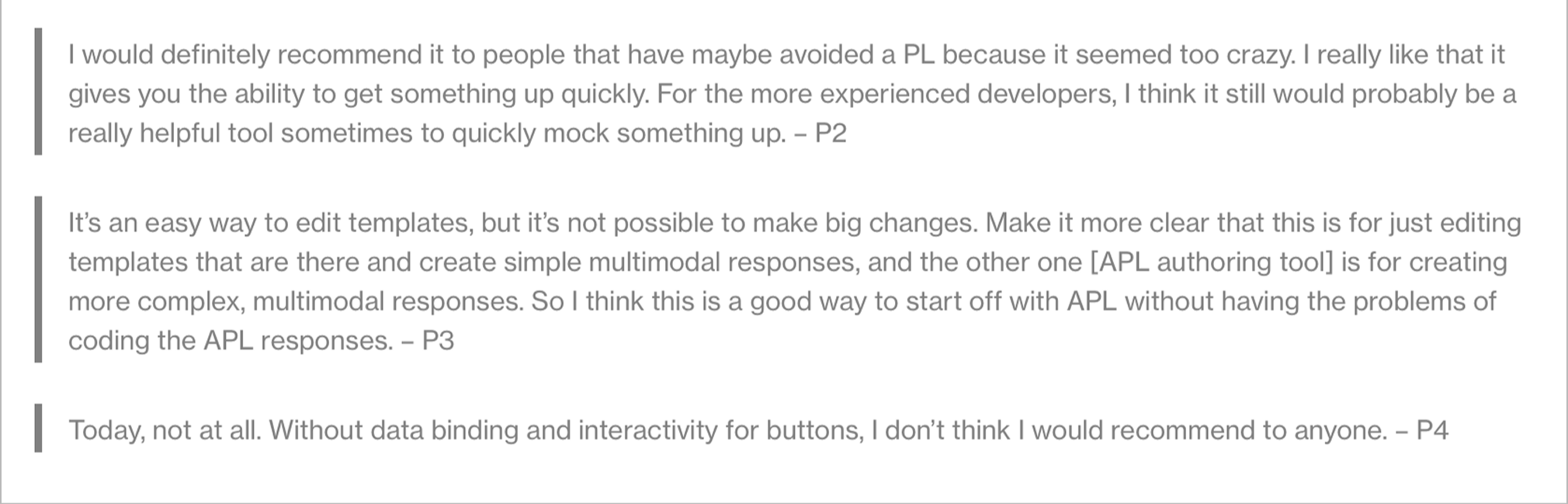
The "Expert Speed-Run" Discovery: While the tool was initially designed for APL beginners ("Audio-only Audrey"), experts began using the wizard as a "speed-run" tool to quickly generate foundational code they would normally write from scratch.
The Pivot: This moved the value proposition from a "beginner's on-ramp" to an "ecosystem-wide productivity accelerator," justifying deeper investment in the code-export features.
Extending the "Integrate" Utility Across the Platform: "Integrate with Skill" feature- originally designed as the final step of the Response Builder wizard- was actually a high-value standalone utility. Developers were also struggling with the "last mile" of connecting visual assets to skill logic, regardless of which tool they used to create the visuals.
The Pivot: I advocated for decoupling the integration logic from the wizard and productizing it as a platform-wide service. This meant making the "Integrate" feature available directly within the high-code Authoring Tool and the Response Builder page, thus providing an efficiency shortcut for expert multimodal creators too.
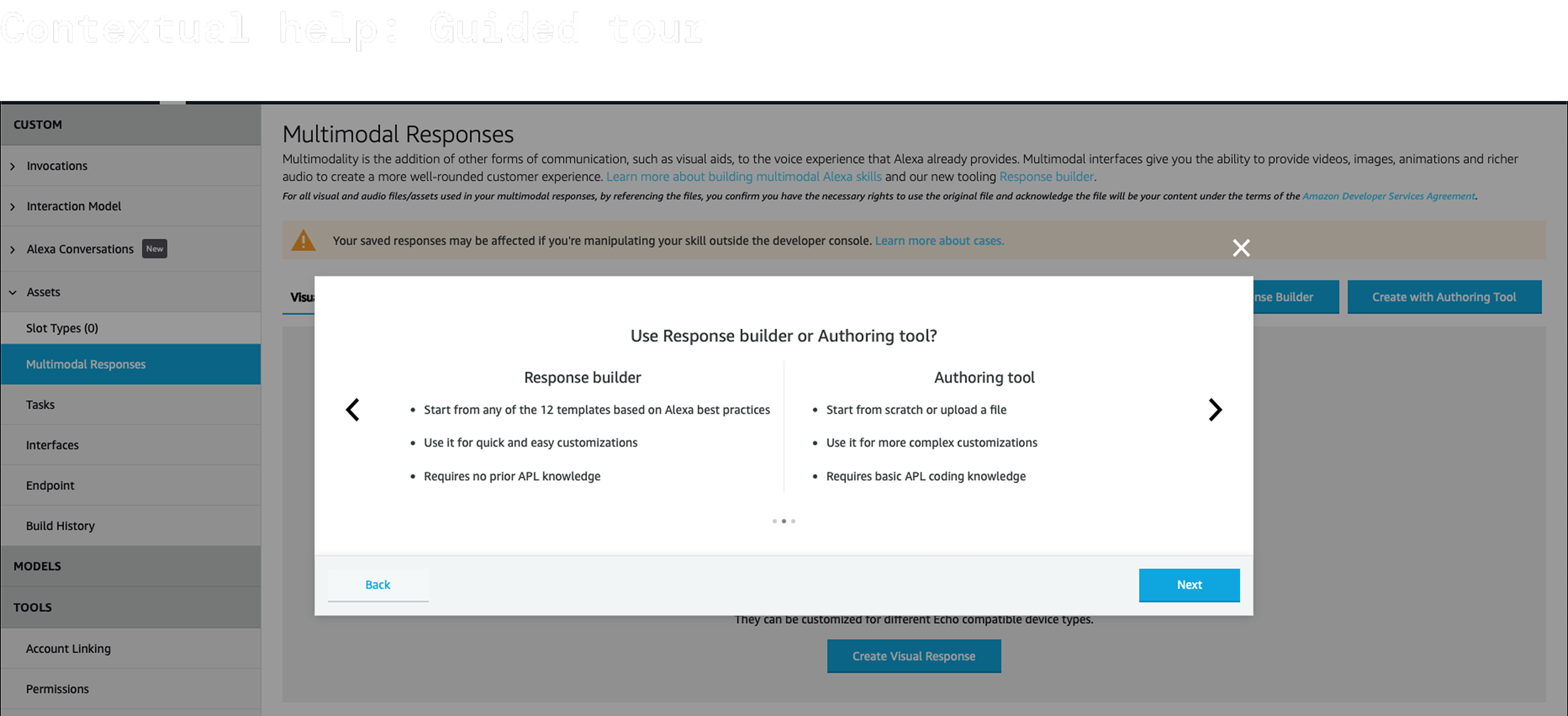
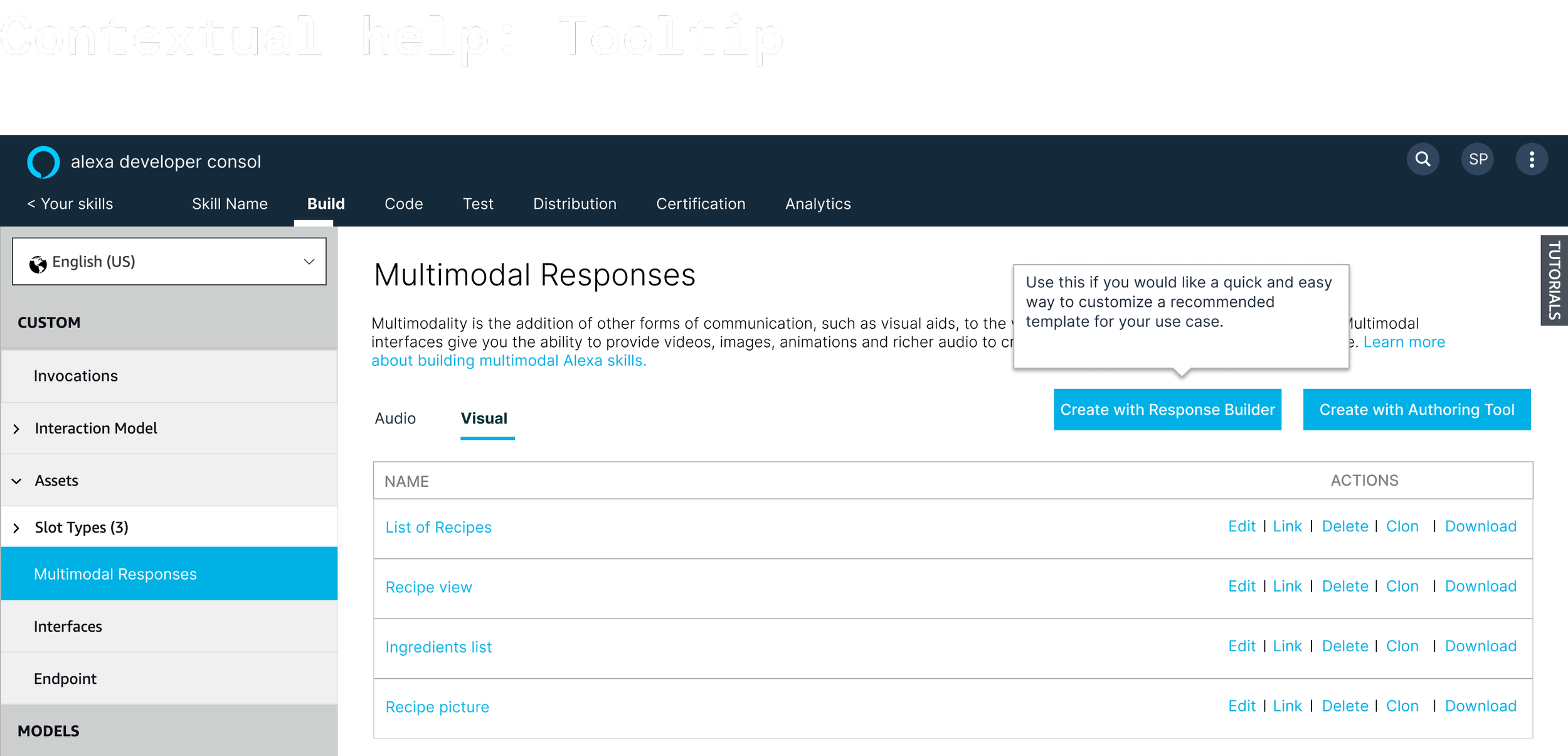
Navigating Tooling Ambiguity: Early evaluative research revealed a "choice paralysis" for developers. Users were often confused about when to use the Response Builder (low-code) versus the Authoring Tool (high-code).
The Pivot: Developed Contextual help patterns reinforcing that Response Builder is for "quick mocks and standard templates" while the Authoring Tool remains for "complex, custom coding". This reduced friction and cognitive load at the start of the developer funnel.
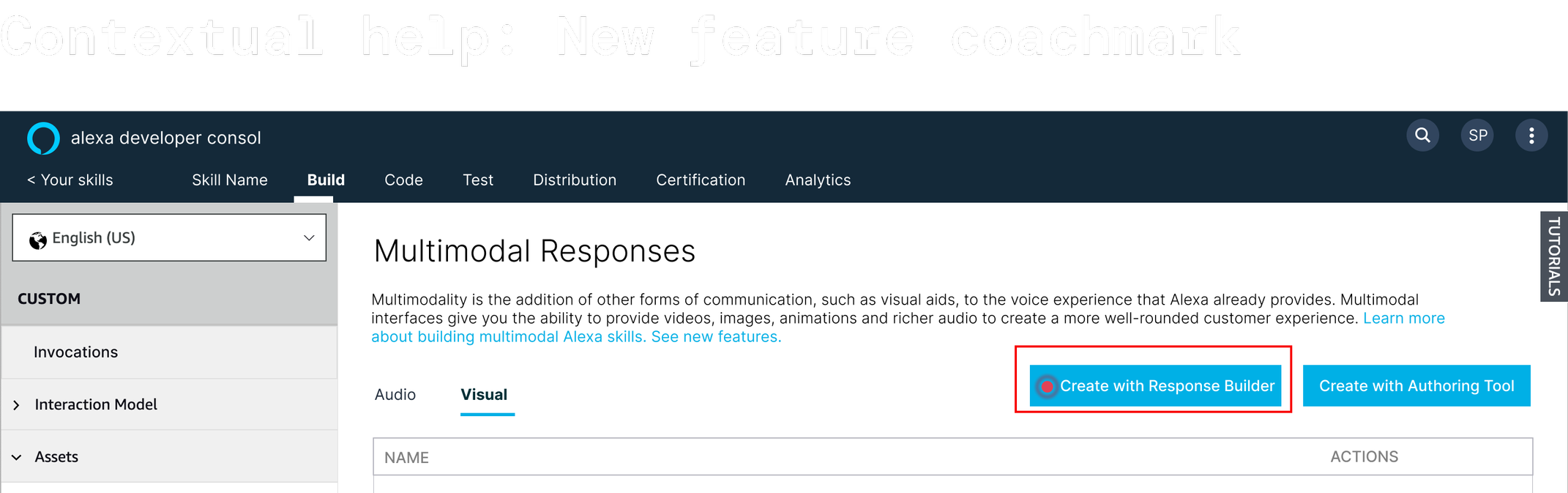
What got shipped
Key features launched for v1 included:
A 3-step wizard experience with the ability to choose one of the 16 templates launched, customize it and preview it on different screen sizes.
“Integrate” any visual response (whether built in Response Builder or Authoring tool) with your skill
Contextual help support to help the users where there were additional steps required
“Promoting” a response from response builder to authoring tool for deeper manipulations
Scaling beyond ..
Evolving the vision
After a successful MVP launch, my thoughts extended beyond features like dynamic data binding for the potential of this product
1. The Governance Layer for Alexa+ and LLM based experiences on Alexa
With the shift toward Alexa+ and Generative AI, the Response Builder becomes more than just a convenience- it becomes a critical governance engine. It ensures that AI-generated content is always rendered within pre-certified, brand-safe, and highly performant visuals.
2. Blueprinting the Future of AI-Driven Visuals
Building on this foundation, I began standardizing the System Architecture and Workflow for how all developers- internal and external- will create and integrate visual responses for the next generation of Alexa+ experiences. This ensures that as Alexa becomes more intelligent and non-linear, the visual experience remains predictable, high-quality, and scalable across every device in the ecosystem.